Sunday, November 27, 2005

Universal Pictures Homage

Hope all of you U.S. visitors had a Happy Thanksgiving. I indulged in so many left-over Thanksgiving dinners over the past couple of days I fear I will never be able to eat again.
I've only recently been able to see the complete series of Universal Frankenstein movies. I had only really seen the original and the Bride of Frankenstein. Last year I picked up the Frankenstein Legacy Collection DVD set and finally sat down to watch all of them. They kind of go to seed from Ghost of Frankenstein on, but Son of Frankenstein, with it's great Expressionist sets and long shadows, is visually a neat experience.


One of the things I love about those movies (and this applies to the Wolf Man movies as well) is the use of gargantuan indoor stages to create outdoor environments. To see it produces a surreal effect, as if the movies take place in some kind of Gothic fantasy land and not necessarily our reality. I used to think this was done on purpose by the filmmakers, but I recently came across an interview with James Whale, in which he proclaimed a realistic interpretation of the story, and that it took place in the modern (1931) world!


Intentional or not, the effect is something that I was hoping to design into Frankenstein vs the Wolfman as a bit of homage to those classic films. Again, the movie I'm making is not a sequel or in any way related to the Universal films (the characters of the Frankenstein Monster and The Wolfman are quite different than those established by Boris Karloff and Lon Chaney, Jr), but I thought it would be nice to acknowledge the inspiration.


I've just completed a couple of quick shots that mirror a moment in Bride of Frankenstein - Leeta, being chased by the Wolfman, runs through an artificial forest of tree trunks, with a large cyclorama of a cloudy sky serving as the backdrop - just like Karloff all those years ago.

Monday, November 14, 2005

Returning to Work

Ok, I'm lying. I haven't returned to work... but I plan to return to work.

I haven't done anything on the movie for the past 3 months. I consider this time a vacation - some time away to get some perspective on how things are going. I've rewatched the existing footage multiple times in that period, and screened it for friends. I expected to be happier with the results than I have been, and I've been trying to get a lock on the problem.
My biggest complaint lies in the visual look of the film. It's very bland. Part of this is due to the constraints of working with 3D. You are restricted in how much you move the camera, and especially on how you angle the camera. Tilt shots are difficult, if not impossible, because they throw off the vertical registration of the stereo image.


The second hurdle is the lighting, again dictated by the 3D process. I'm trying to design the movie towards whichever format the most people are going to see it in. We know that the field sequential 3D version is probably going to be seen by the smallest group, so that leaves either the red/blue anaglyph 3D version or the 2D version as the one which will get the most exposure. If most people's experience with the 3D version will be anaglyph, then I find I have to over-light my scenes in order for everything to show up in detail all the way back into the frame.


By over-lighting everything, I'm losing the moody, shadowy look I had on RAVEN 2. Even the night scenes here are brightly lit.


There's also an issue with the speed of the action. When animating, I find it difficult to accurately judge how the speed of something will look when the clip is finished. I've been spending some time going through the assembly edit doing some fine cutting, and have changed the speed of some slow action in the fight scenes to make things a bit more natural and exciting. However, since we're eventually going to be dealing with an interlaced version of the film, I'm concerned that those clips that have been sped up will contain flickering artifacts in the field sequential version.


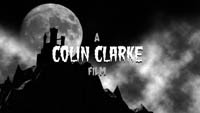
So, I'm warming myself up for a return to production (hopefully by this weekend) by designing a new main title sequence. The old one was kind of dull, so this new one takes the basic concept and spices it up a bit.


I also took the opportunity to back up a bunch of the raw video files that were sitting on my crowded hard drive, in order to free up more production space. I'm filling a small stack of DVD-Rs with the stuff.


More as it happens...


Monday, August 8, 2005

Egads!

For the past three weeks, I've been slaving over a 30 second sequence in which the Monster leads the little girl Leeta through his graveyard home. The full sequence consists of three shots; due to errors in the right eye (I miscalcuated the axis of seperation, making one image higher than the other, and not side by side as necessary), I've had to go back and re-render the whole thing.

But now - finally - it's in the can. You can see it
here (the high poly gravestones are the culprits for the long render times).

Also, we recorded the voice of Milo, the third of our trio of children, this week.

Monday, July 18, 2005

En Fuego

Added two more finished frames to the Gallery section. Have spent this last month doing a lot of overtime, but still managed to get quite a bit done on the movie. There is now close to 7 minutes worth of footage completed.

The current scene I'm working on takes place in the Frankenstein Monster's lair - a cemetery. It took a couple of days to build the cemetery itself, painstakingly positioning each of the headstones individually. There's a special effect involved in this scene which requires some special planning in the rendering process. The Monster is carrying a lit torch, and in order to create this effect, I am using an After Effects plugin from Panopticum, called Fire. By supplying an alpha image of the object you want to burn (i.e. the head of the torch), the plugin creates a fairly good flame simulation.

However, since the torch passes behind a number of objects, each shot involving the torch has become a composite shot. The background elements, including the Monster and the other figures are rendered seperately from the foreground objects (gates, trees, etc). The flame plugin is applied to the top of the torch (also rendered seperately), and then sandwiched in between the foreground and background layers. The still I've uploaded to the gallery shows the lit torch, but in the full scene, the gates start off closed in the foreground.


I also wanted a nice, horror movie graveyard fog for the scene. Initially, I tried a fog object I found on the internet which used multiple foggy planes all ganged together to create a sense of depth; this proved too time consuming to be practical (I used it in the first scene of the movie, however - that shot of the Monster emerging from the mist demonstrates the effect).
For the graveyard, I opted to go the cheaper, faster route - simply applying a photo of Photoshop-generated clouds to a flat plane hovering above the ground, partially transparent. While this works ok (see the graveyard image for details), I'm trying something else in future shots. Currently, I'm using a Wave Plane (a water simulation that can morph and ripple) with the clouds photo applied. This way, the fog actually rolls and boils.

Saturday, June 18, 2005

Lipsynching

On the last two RAVEN movies, synching the character's lips to the recorded words was a labor intensive, painstaking chore. For FRANKENSTEIN VS THE WOLFMAN, I'm using an impressive Poser add on, called Mimic. Mimic can be fed a recorded line of dialogue, and automatically interprets the sound file and generates lip movement. As an added bonus, it also generates facial expressions! This has created much more expressive characters than I've had in the previous two movies, and has greatly reduced the amount of time required to set up individual scenes.

I'm working on the first indoor sequence in the movie, which takes place in a sewer. The soon-to-be Wolfman is spilling his origin story to a captive, soon-to-be meal. This sequence will be done in two parts; sundown and moonlight, separated by a flashback scene. The moonlight part of the sequence will involve the central Wolfman transformation, so I'm amped to start working on that - possibly as soon as tomorrow.

Saturday, June 11, 2005

Finally Added the Characters Page to the Site

Yep - by clicking on over to the brand new character's page here you can check out the who's who of characters from the movie, and the people who play them. It's not a complete list, as more characters have yet to be recorded and modeled, but we're underway.

I've been following my own advice - last weekend I animated about 30 seconds worth of stuff, and the computer has spent the bulk of the week rendering it out. It's not done yet, but I hope to get around to working on a new scene this Sunday. I have finally finished off the first sequence of the movie, which is also the first full beginning-to-end completed scene. Yaaay! Only 34 more to go!

Friday, June 3, 2005

How to Make 3-D Movies With Poser

I'm really getting derelict in my duties of updating this webspace. The job situation mentioned in my last post has been rectified (I survived the cuts, and am keeping my employment), but my hours have changed. This has cut down on the amount of time a day I can spend working on the movie. My new strategy is to animate as much stuff as I can on weekends when I have free time, and then let the computer do the work during the week. I am one shot away from having the first complete sequence finished for the movie.

Now, the question has become - how do you make a 3-D movie using Poser? The whole concept here is to photograph your subject from two perspectives, separated by the distance between your eyes (approx 2 1/2 inches). To do this, I put a reference object in the scene (namely a simple ball) and tell the camera to always Point At it. Where the ball is positioned will be the screen plane of the shot - anything coming between the ball and the camera will appear to come out of the screen, anything that falls behind it will appear to receed into the screen. The ball is hidden in the final render by simply turning it off. The final render of this shot becomes the Left Eye view. Then, I rotate the camera on the Y axis 2 degrees to the right, and re-render the scene. This is the Right Eye view.

This technique works best when the camera is facing the object straight ahead. When the camera is tilted to look up or down at an object, the Y axis becomes useless, and I have to manually track the camera to approximate the perspective shift. This has resulted in a couple of errors so far, which has resulted in too much parallax (the seperation between the final images when put together in 3-D). Too much parallax, or worse, a misregistered image (when the Right Eye image is slightly higher or lower than the Left Eye) can cause some serious eyestrain in the viewer. So, some of these shots had to be fixed by adjusting the Right Eye image later in post processing. There are two shots so far in this first sequence that will have slight black bars on the side of the frame, because I had to slide the images together to correct a problem with depth (objects that were supposed to be at the screen plane were too far in front of it).

The two final images, if they were rendered without problems, are combined in a program called
Stereo Movie Maker to make both an anaglyph and field sequential version of the shot.